Fair draw
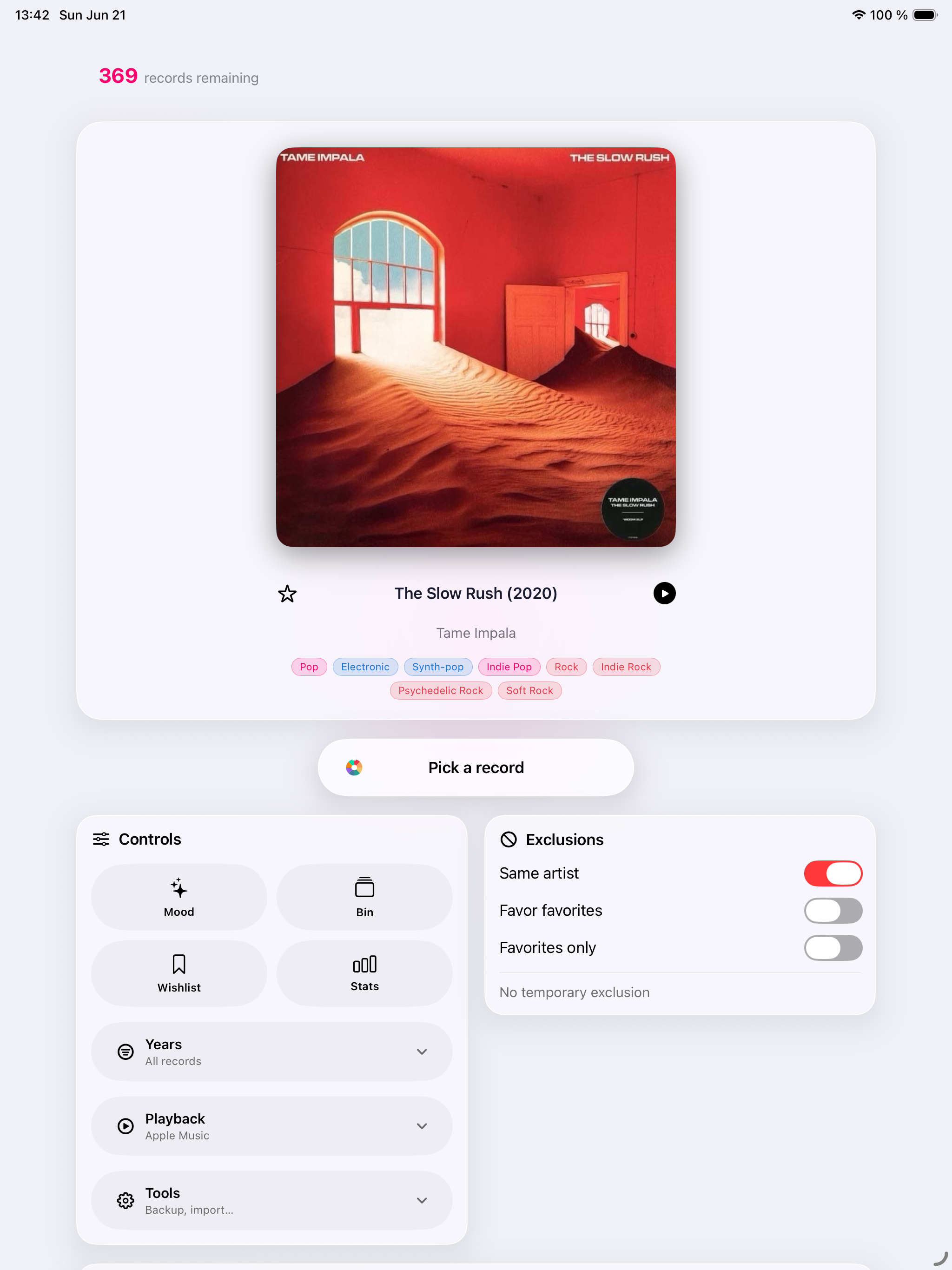
Favor less-played records, filter by year, genre, format, speed, or favorites, then swipe the cover to draw or undo.
 Record Picker
Play the right record
Play the right record. Rediscover your collection on iPhone, iPad, Apple Watch and Mac, with fair draws, Mood Pick, iCloud and tools built for real collectors.
Coming soon · 1.9
A timely reason to rediscover a record you already own.
Today Pick
Record Picker 1.9 introduces Today Pick: a timely, private reason to rediscover a record you already own.
Available now
Record Picker 1.8 makes Collection Health proactive and actionable.
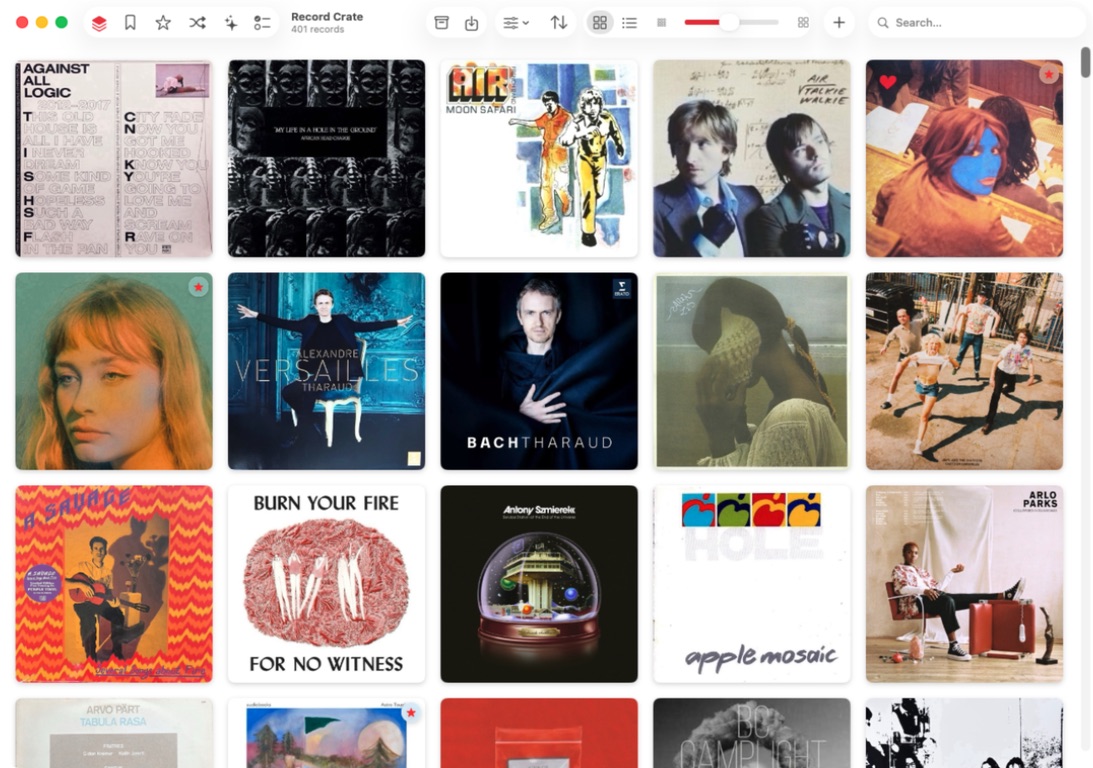
Record Picker
Record Picker catalogs vinyl, CDs, and favorite albums, then suggests the next record to play based on filters, favorites, exclusions, and the mood of the moment.
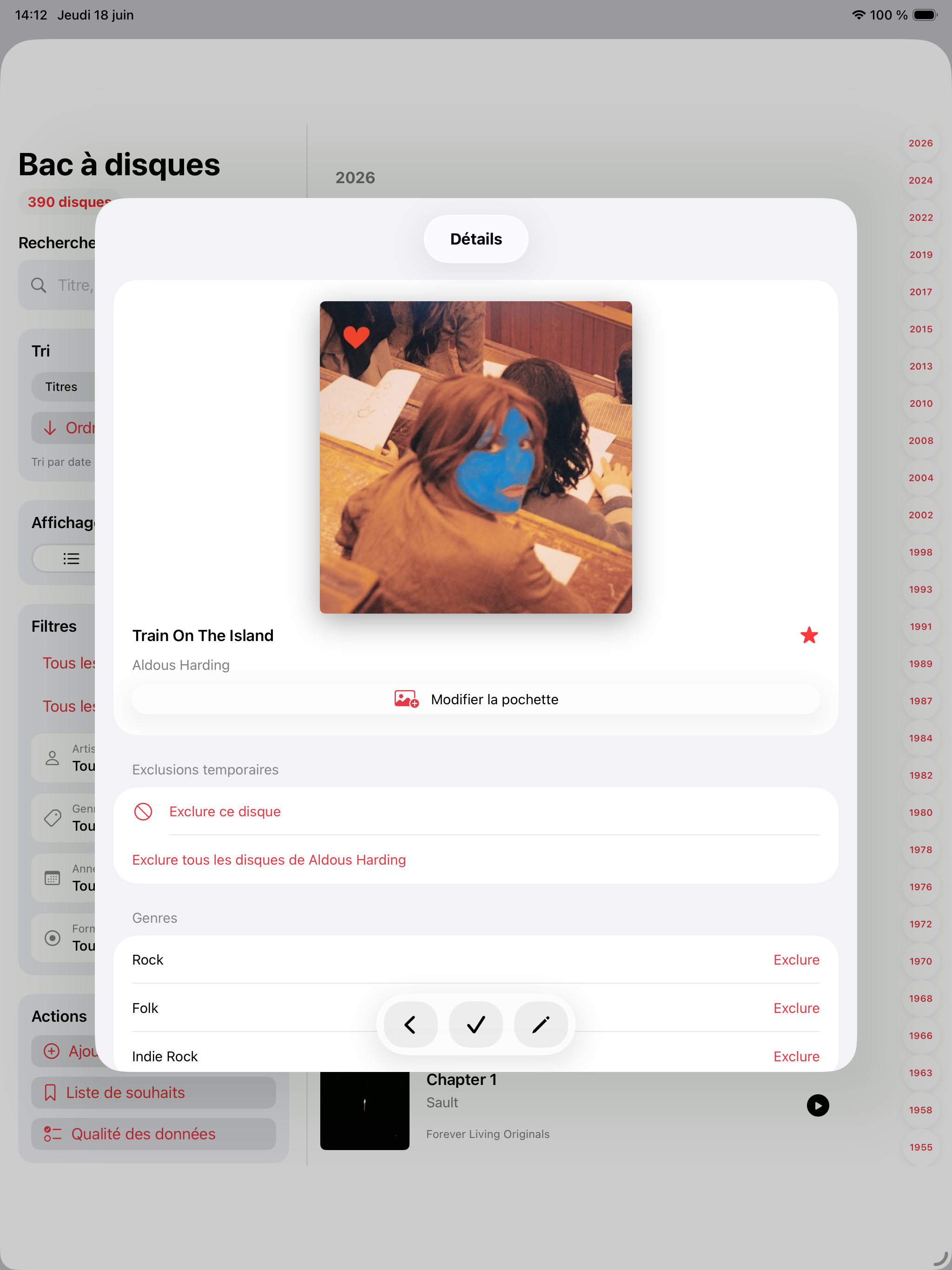
Favor less-played records, filter by year, genre, format, speed, or favorites, then swipe the cover to draw or undo.
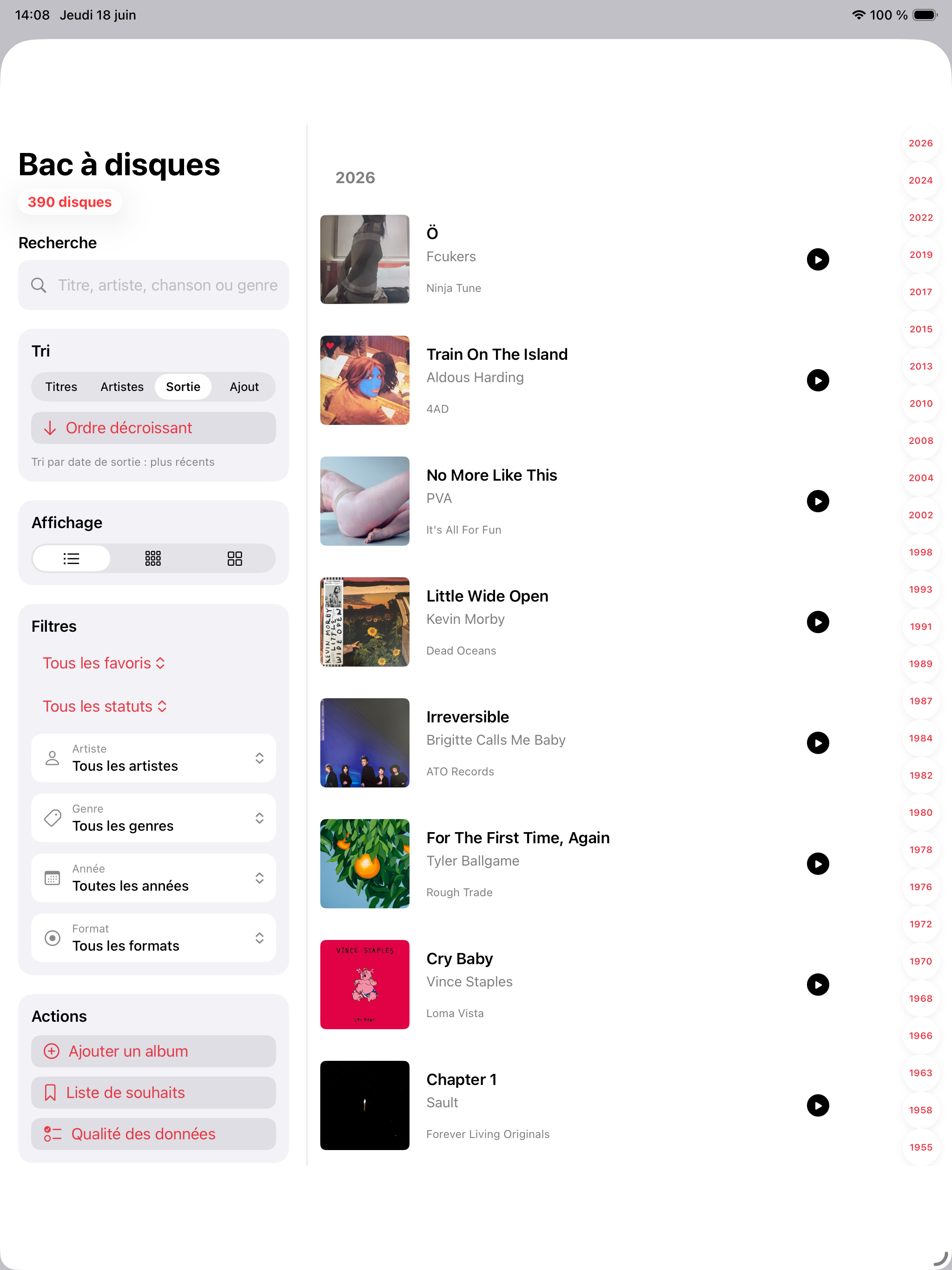
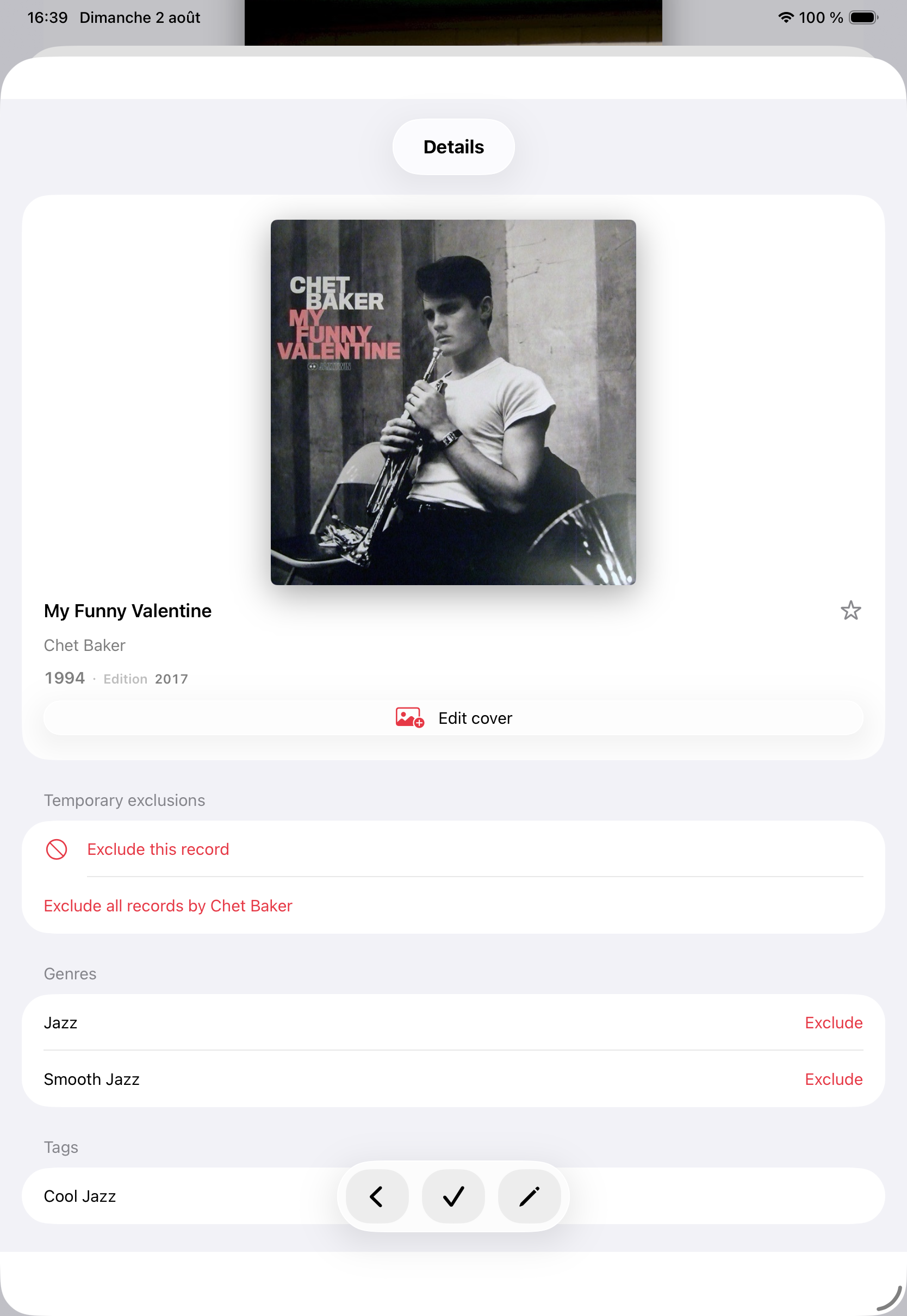
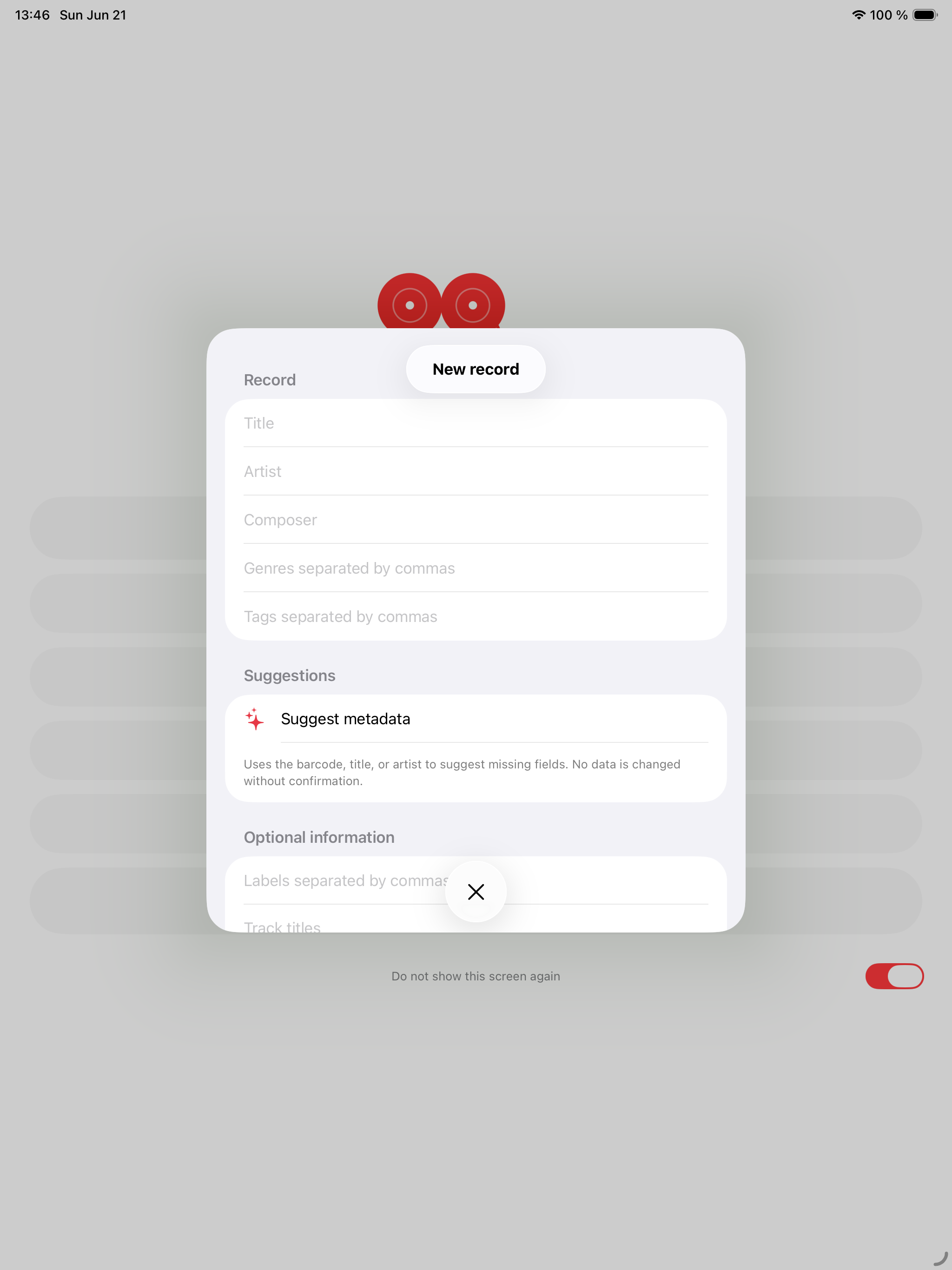
Barcode scan, MusicBrainz, Discogs fallback, custom covers, duplicates, exclusions, wishlist, and browsable history stay easy to manage.
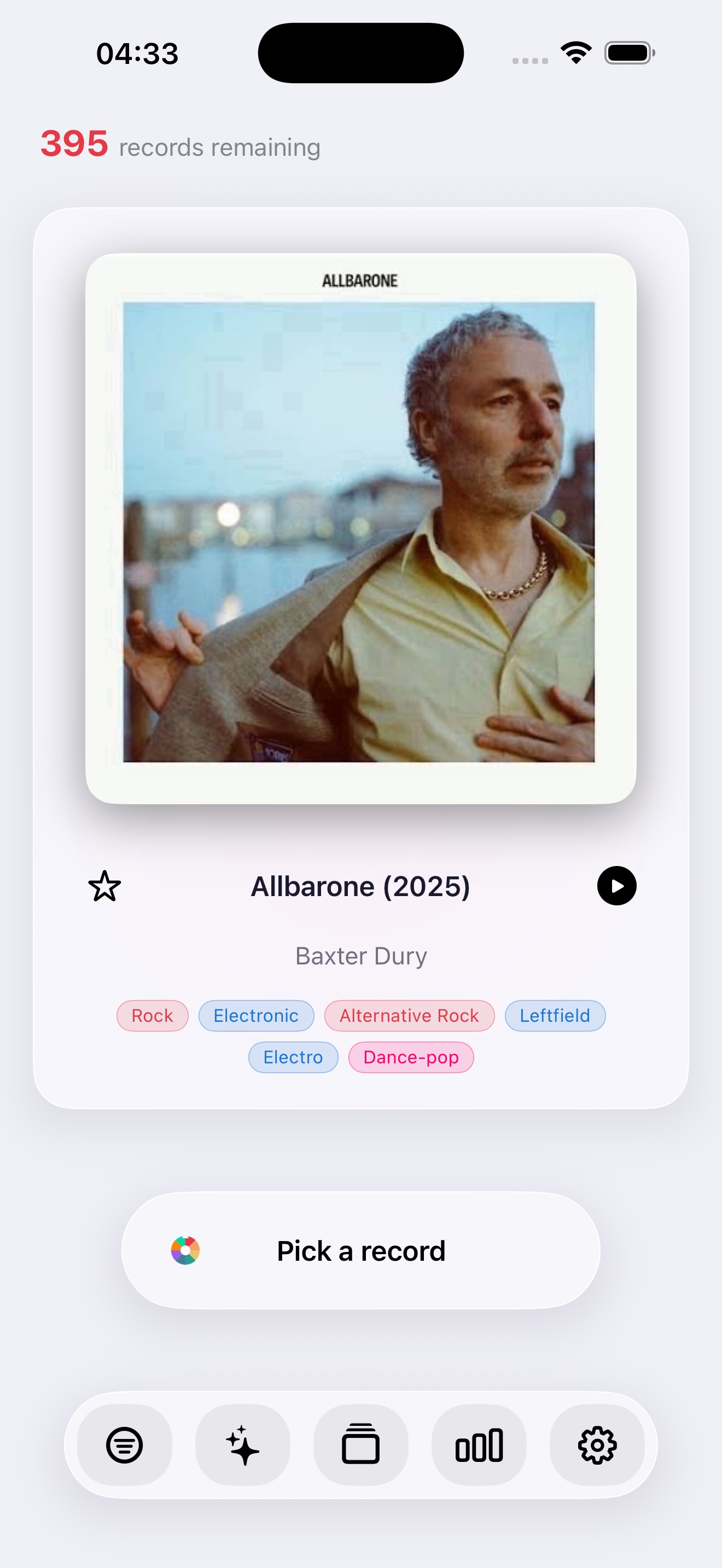
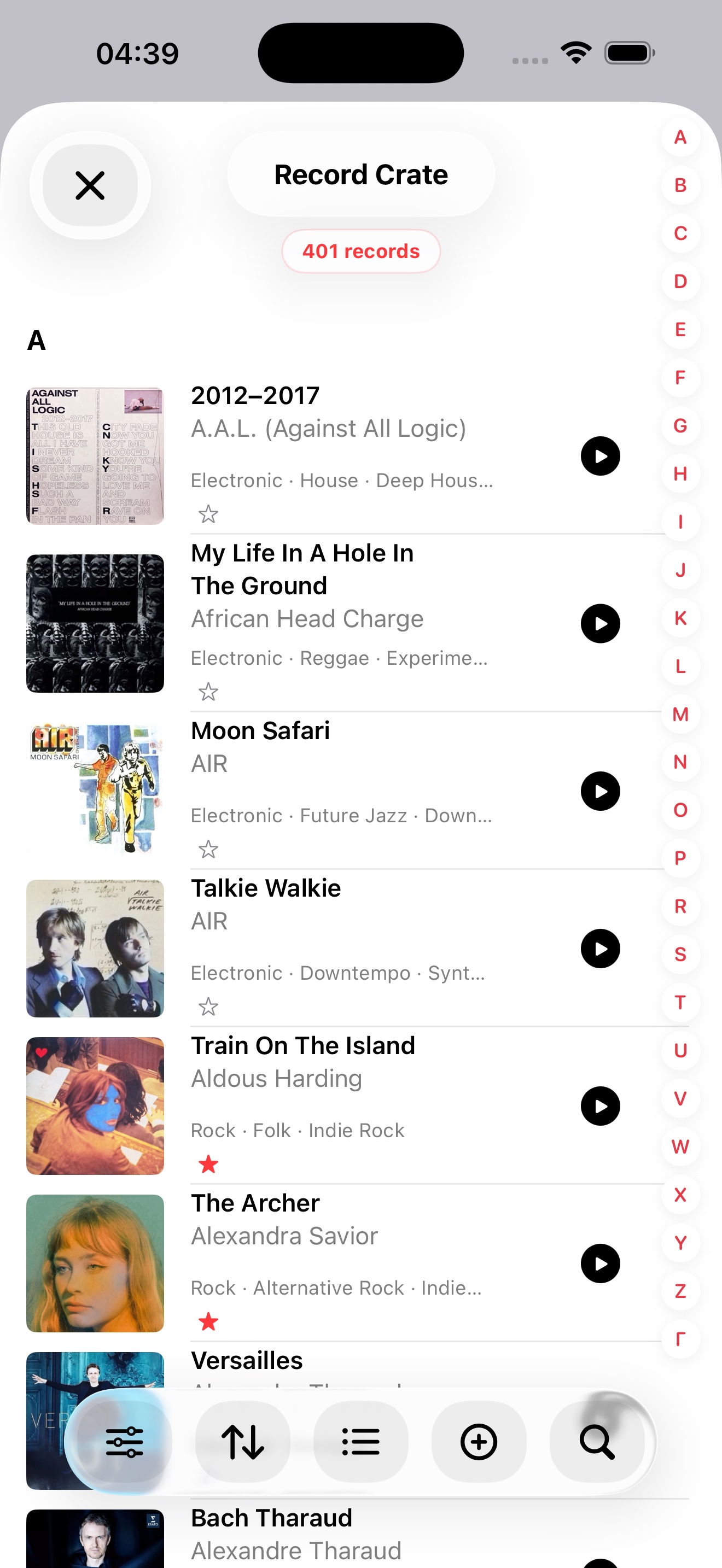
Cover on the left, full metadata on the right, centered Pick button, and floating toolbar for frictionless choosing.
A red star replaces the Favorite chip in the crate: one tap on iPhone or iPad is enough to mark or unmark.
App Store
Release notes for Record Picker 1.8 and the native Mac app, now available.
Coming soon · 1.9
Available now
The support page answers quickly about import, backups, external lookups, privacy, and direct contact.
Open support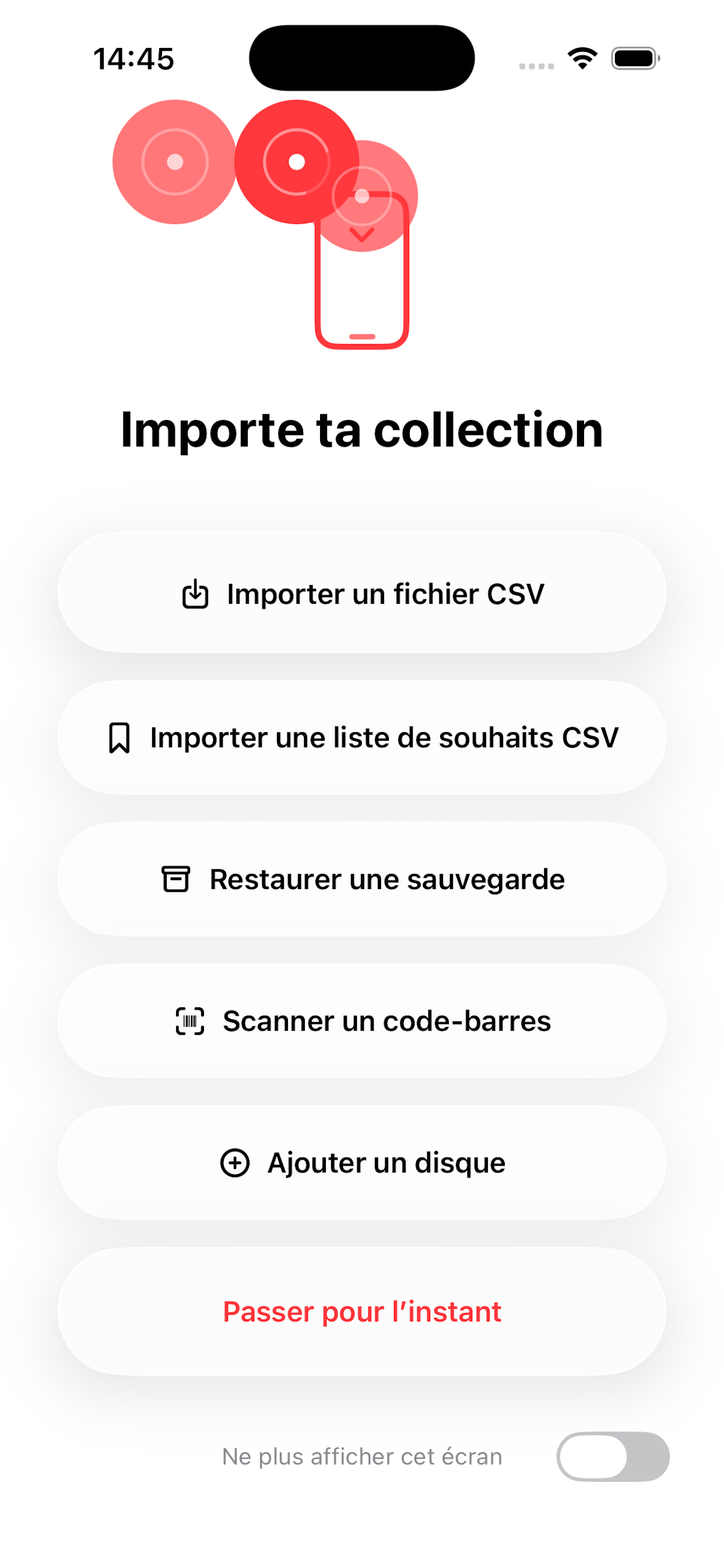
CSV import, backup restore, barcode scanning, and manual entry help users start even with an incomplete catalog.
Backups, readable CSV, and JSON exports are deliberately started by the user and saved to the destination they choose.
MusicBrainz, Discogs, and Cover Art Archive are used only when a lookup or enrichment action is started.
Record Picker has no user account, no advertising, no data selling, and no Record Picker server storing the collection.
The albums you add, import, edit, favorite, exclude, or draw are stored on your device. This may include album titles, artist names, release information, genres, styles, tags, notes, listening history, cover artwork, and collection metadata.
Record Picker does not operate a user account system and does not upload your collection to a Record Picker server.
Your collection, wishlist, draw history, custom covers, and restorable deletions are stored on the device and can sync to your private iCloud database when iCloud is enabled for the app. Exports are still started deliberately to the destination you choose in Files, such as iCloud Drive or OneDrive.
Record Picker may use the camera to scan barcodes when you choose to add an album this way. Camera images are not stored or shared by Record Picker.
The barcode may be sent to MusicBrainz; when MusicBrainz does not know the reference, Record Picker queries Discogs to pre-fill the record sheet when the edition is found.
When you start a metadata or cover search, Record Picker may contact external music metadata services such as MusicBrainz, Cover Art Archive, or Discogs.
These requests may include the search terms or barcode you provide. They are sent only when you explicitly start the lookup.
Artwork searches use Cover Art Archive or a manual lookup chosen by the user. Images selected from Photos, Files, or the web stay under your control.
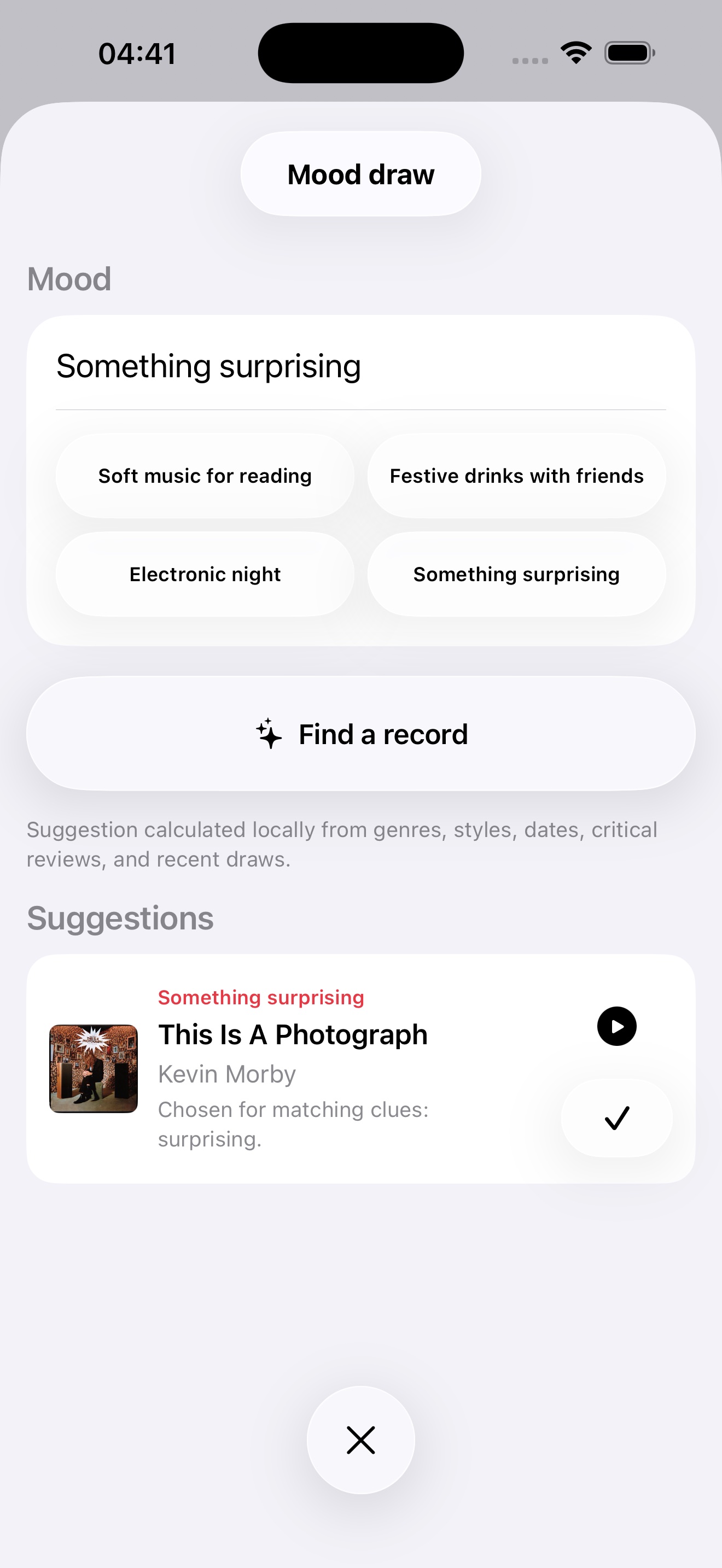
Record Picker may use Apple Intelligence on-device, when available, to suggest albums by mood. When those models are not available, suggestions are calculated locally from metadata, favorites, tags, genres, styles, and recent draws.
Record Picker does not use third-party AI providers and does not send your collection to cloud AI.
Internet reviews are never scraped automatically. Smart features remain user-initiated or calculated on-device.
If you use the Apple Watch companion app, Record Picker may sync essential collection and draw information between your iPhone and Apple Watch using Apple's device communication features.
The Watch companion can show the drawn record, pick the next one, mark a favorite, undo the last draw, and ask the iPhone to start playback.
Record Picker may let you import, export, back up, or restore collection files. These files are created, selected, and managed by you.
Record Picker does not use advertising tracking and does not include third-party advertising SDKs.
If you have questions about this privacy policy, contact support@recordpicker.app.
Screenshots
The iPhone screenshot complements the iPad home view without reusing the same image twice.
Vinyl guides
Three focused guides answer common collector questions: what to play now, how to use a useful random picker, and how to keep a collection alive.
Vinyl guide
A practical guide to choosing what vinyl record to play next without staring at the shelf for too long.
Random picker
Why a random vinyl record picker works best when it respects filters, favorites, exclusions, and listening context.
Vinyl collection
A practical guide to cataloging, enriching, backing up, and rediscovering a vinyl collection with Record Picker.
For questions about the app, import, backups, or privacy, use the public support contact.