
Record Picker · Practical guide
Choose a record without going in circles
Choose an album you can actually play now, then stop browsing. Record Picker helps turn a collection into a listening decision; drawing a record and listening to it are separate actions.
1. Start with a collection you recognize
Add a few owned albums or import your collection, then check artists, titles and formats. Keep records you want to buy in the wishlist so you can distinguish them from records available at home.
2. Keep the selection broad enough
Use the genre, year, favorites or exclusion controls actually offered by your version. Start with one useful constraint rather than combining every filter. A small collection with many exclusions may leave no eligible record.
3. Draw a record or start from a mood
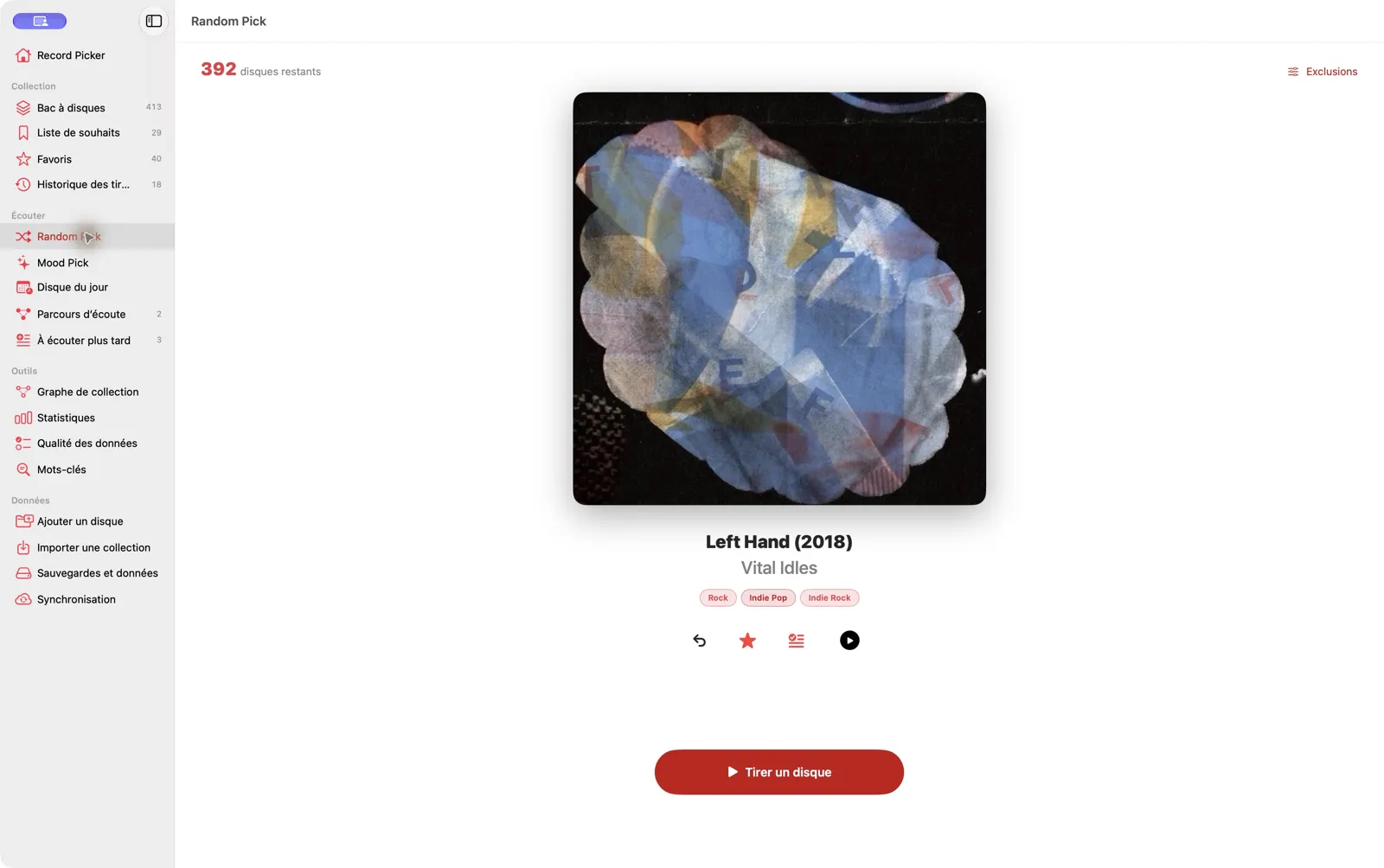
Random Pick draws from eligible records. Mood Pick offers another starting point where available; its capabilities depend on the device and installed version. Choose the approach that suits the moment, then check the proposed album before playing it.
4. If there is no proposal
Check that the collection contains owned records, relax filters and exclusions, and read any message about the current draw cycle. A record already drawn can be unavailable in that cycle. An empty result does not by itself mean your collection has been deleted.
After choosing
Play the album if it suits you. Record an actual listening session using the controls available in your version, or keep the album in Listen Later for another time. The draw history records proposals; it should not be treated as proof that every proposed album was heard.
Continue with your collection
Import a Discogs collection · Back up your collection · Rediscover forgotten albums